


Google Chrome
4.11.01M Reviews
App Specs
- Version
- Varies with Device
- Updated On
- License
- Free
- Downloads
- 10,000,000,000+
- Developer
- Google LLC
- Categories
- Communication
- Platform
- Android, iOS
Screenshots
 Analysis by AppCompare
Let’s dive into the world of Google Chrome, the browser that’s become synonymous with internet surfing. If you’re like me, you probably spend a good chunk of your day online, and choosing the right browser can make a huge difference in your daily digital life. So, I decided to give Google Chrome a spin to see if it really lives up to the hype.
First Impressions
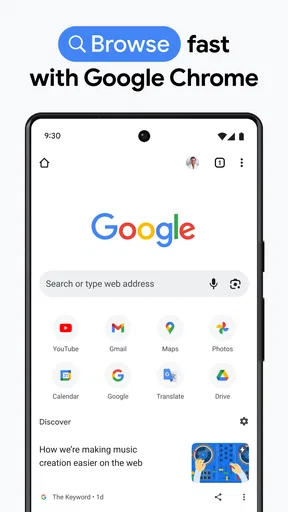
Firing up Google Chrome for the first time, I immediately noticed its sleek and minimalistic design. Everything is laid out intuitively, making navigation a breeze. The interface is clean, with a simple toolbar and a few buttons that won’t overwhelm you. This is perfect for both tech novices and seasoned pros. It’s like the browser says, "Hey, let’s keep it simple, shall we?"
Performance and Speed
Now, let’s talk about speed because, let’s be honest, nobody has time to wait for pages to load. Chrome is known for being fast, and it didn’t disappoint. Websites loaded almost instantly, and even with multiple tabs open, the performance remained buttery smooth. I did notice, though, that it can be a bit of a memory hog. If you’re using an older device, this might slow things down a tad, but for most newer systems, it’s a non-issue.
Guides and Analysis on Google Chrome
Features Galore
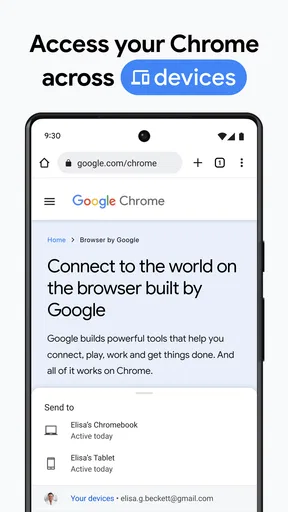
One of Chrome’s biggest draws is its host of features. The Chrome Web Store is a treasure trove of extensions that can enhance your browsing experience. I added a few, like an ad blocker and a password manager, and they were super easy to install and use. Plus, everything syncs across devices, so whether you’re on your phone, tablet, or PC, your bookmarks and settings are right where you left them.
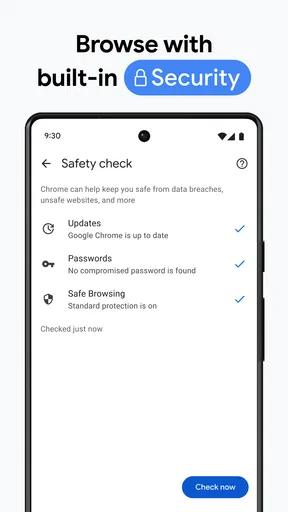
Security is another area where Chrome shines. With automatic updates, you’re always protected against the latest threats. It also warns you when you’re about to enter a dubious site, which is a neat little feature that adds peace of mind.
User Experience
Using Google Chrome is straightforward. The address bar doubles as a search engine, which is super convenient. I found the voice search feature particularly handy when my hands were busy, and it worked surprisingly well, even in noisy environments. The browser’s integration with Google services like Gmail and Drive is seamless, making it a solid choice if you’re already embedded in the Google ecosystem.
Customization Options
One of the things I love most about Chrome is its customization. You can change themes to suit your mood or style, and there’s a decent selection available in the Web Store. I opted for a dark theme, which is easier on the eyes during late-night browsing sessions. The home page is customizable too, so you can have your frequently visited sites just a click away.
Worth Reading Before You Choose

Basketball Stars: Multiplayer Is Fast, but Can It Recover When Matches Go Wrong?

WEBTOON Turns Phone Updates Into a Better Reading Routine

Link to Windows Runs on Shared Habits, Not Social Feeds

How Alibaba.com Dominates the B2B Marketplace

Metro's Quiet Rise: Redefining Mobile Communication

Harnessing Ecosystem Power with Phone Tracker by Number
Conclusion
So, is Google Chrome worth making your default browser? In my experience, absolutely. It’s fast, reliable, and packed with features that make browsing a joy. The only caveat is its resource usage, but if you’ve got a capable device, you probably won’t even notice. Whether you’re a casual internet user or someone who lives online, Chrome’s got you covered. Give it a try, and you might find yourself wondering how you ever surfed the web without it.
With all these features and its user-friendliness, Google Chrome remains a top contender in the browser wars. If you haven’t tried it yet, what are you waiting for? It just might be the upgrade your internet experience needs.
Pros
- Fast browsing speeds and smooth performance.
- Seamless syncing across multiple devices.
- Extensive library of extensions and add-ons.
- User-friendly interface with intuitive navigation.
- Regular security updates ensure safe browsing.
Cons
- High RAM usage can slow down older devices.
- Privacy concerns due to data collection policies.
- Occasional crashes with multiple tabs open.
- Limited customization compared to other browsers.
- Some features require a Google account.
FAQs for Google Chrome
What are the key features of Google Chrome for mobile?
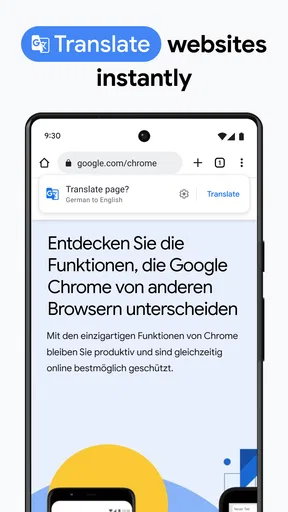
Google Chrome for mobile offers a streamlined browsing experience with features like tabbed browsing, incognito mode for private browsing, and voice search. It also syncs seamlessly with your Google account, allowing access to bookmarks, history, and saved passwords across devices. The browser supports fast web page loading and includes a built-in Google Translate feature.
How does Google Chrome ensure privacy and security on mobile devices?
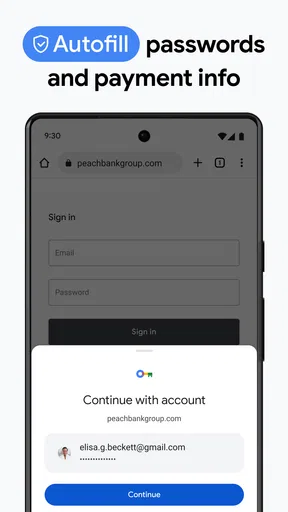
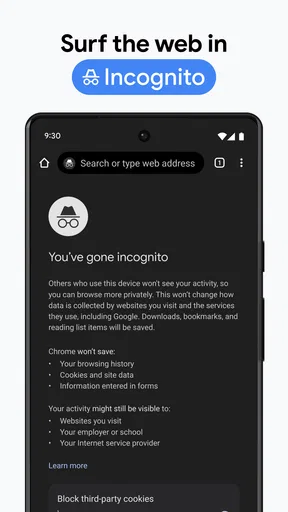
Google Chrome provides several privacy and security features, including Safe Browsing, which warns users about dangerous websites. Incognito mode allows users to browse without storing history, cookies, or site data. Chrome also regularly updates its security protocols and offers a password manager to keep logins secure.
How can I manage tabs effectively on Google Chrome?
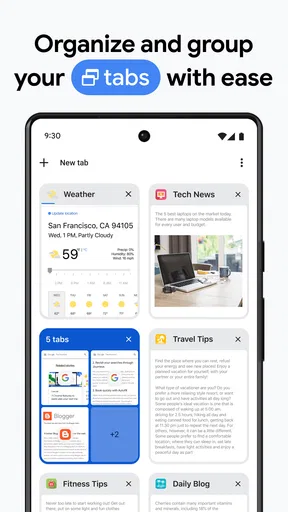
Google Chrome offers intuitive tab management, allowing users to easily open, close, and switch between tabs. Users can group tabs for better organization and use the 'Close All Tabs' feature to start fresh. The browser also includes a tab search function to quickly find open tabs, making multitasking more efficient.
Does Google Chrome support extensions and how can I install them?
While Google Chrome on mobile doesn't support extensions like the desktop version, it does integrate with various apps and services. Users can enable features like 'Desktop Site' to access full versions of websites. On desktop, extensions can be installed from the Chrome Web Store to enhance functionality.
Is Google Chrome free to use and are there any in-app purchases?
Google Chrome is completely free to download and use on both Android and iOS devices. There are no in-app purchases or subscriptions required. Users have access to all features without any cost, making it a popular choice for those seeking a robust and reliable web browsing experience.


